A benefits card for every employee, straight into their phone
For works councils, staff associations and HR teams: each employee gets a benefits card in Apple Wallet or Google Wallet, plus tickets for outings and the end-of-year party.
No sign-up or credit card · your test card in 1 minute

 M-TC-00871
 M-HB-01215
 M-SW-00098
 M-BK-00442
 M-FT-03142
One card template per activity
 Basketball
 Volleyball
 Swimming
 Martial arts
 Cycling
 Golf
Golf Theatre
 Choir
Choir Student societies
How it works: 3 steps
Design your benefits card
Start from the staff benefits design, add the company or works council logo and the list of partner discounts on the back.
Import your employees
Add employees one by one, or all at once from an Excel file. Each employee receives their card by email.
Use it at partners and events
Employees show the card at partner shops. At outings and parties, you scan the tickets at the door.
What MPass does for your club

Membership cards in the Wallet
Each member adds their card to Apple Wallet or Google Wallet in one tap. It updates itself: tier, validity, renewal.

Tickets and invitations
Create an event, share the link, scan at the door with your phone. Parties, matches, tournaments, galas.

One-shot Excel import
Import your member list (Excel or CSV): all the cards are created in one go, with one link per member.

Sent automatically by email
Each member gets their card by email, with the Apple Wallet and Google Wallet buttons. You can also copy the link for WhatsApp or SMS.
Made for Belgium
Cards in English, French, Dutch and German, pre-filled health insurance fund certificate, ASBL / VZW ready. Admin interface in English, French, Dutch and German.
Membership fees stay with the club
MPass never touches your members’ money: they pay the club as usual (bank transfer, cash) and you activate their card.
Why a digital benefits card works better than a plastic one
A works council or staff association negotiates discounts with local shops, cinemas, gyms and leisure parks. The difficulty is proving to the partner that the person really works for the company, without printing and posting a card to every employee.
With MPass, each employee has a benefits card in the Wallet of their phone, with their name, their category and a validity date. When someone leaves the company, you end their card and it shows as expired. Outings, family days and the end-of-year party get tickets with a QR code that you scan at the entrance.
What your works council gets
One card per employee
Name, category (employee, retiree, family) and validity on a card that cannot be lost or forgotten.
Partner discounts in one place
The back of the card lists your partners and their discounts. You update it once, every card changes.
Tickets for outings and parties
Theme park day, cinema evening, end-of-year party: one ticket per person, with a quota per category.
Excel import
On the Pro plan, import your whole employee list at once: one card and one personal link per employee.
Leavers are handled
End a card when someone leaves: it shows as expired straight away, even if it stays in their phone.
No payments through MPass
Any contribution or ticket price is paid to the works council as usual. MPass takes no commission.
Pick your sport, the card is ready
Each activity has its own design: colours, 3D object, card title, membership plans. You add your logo, your text and the back of the card. The design stays consistent, and your members recognise their club at a glance.
Create my test card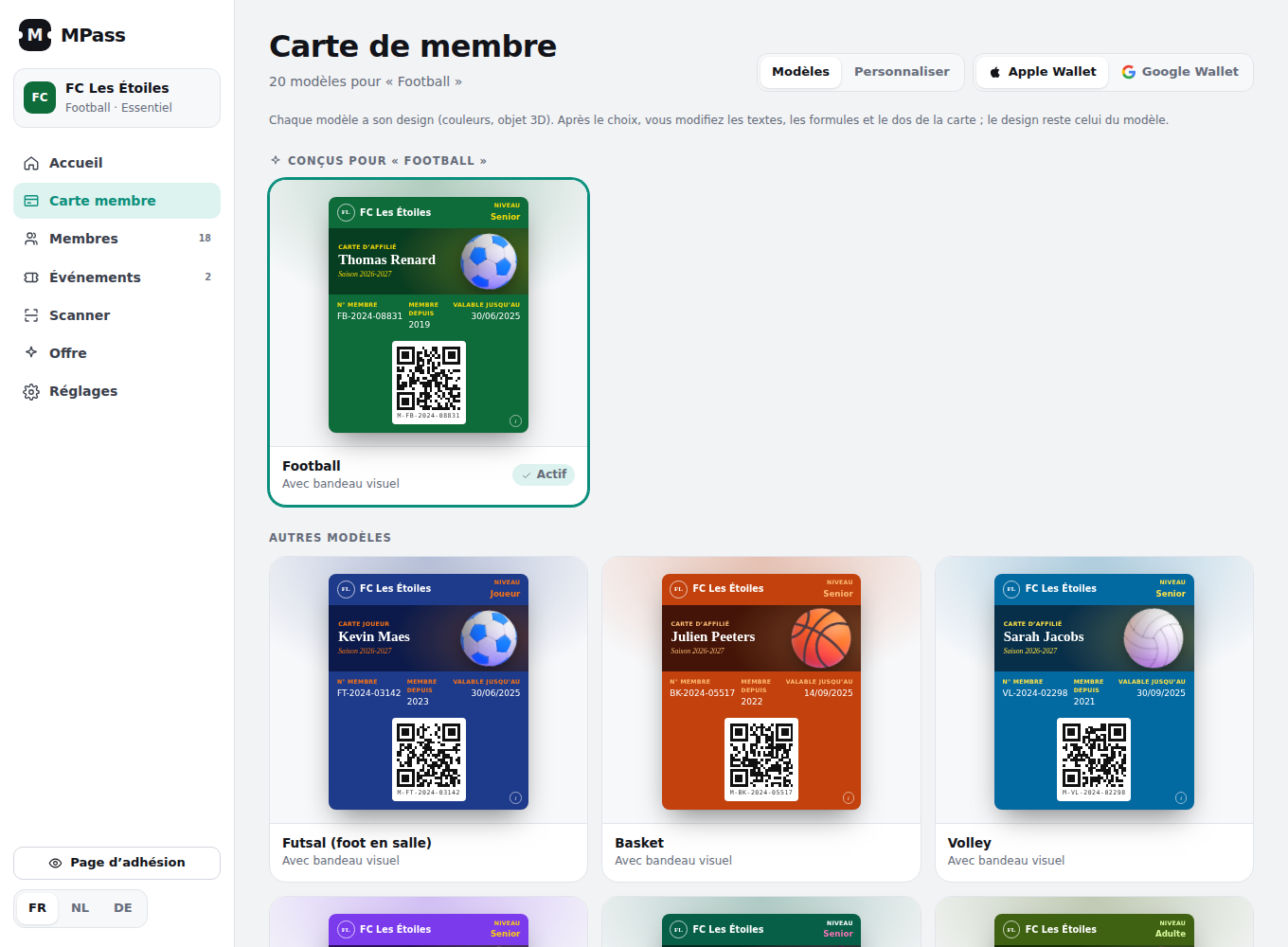
Simple pricing, no commission
Free
- 50 active cards or tickets
- 1 active event
- Apple Wallet and Google Wallet
- Scanner on 1 phone
Essential
- 300 membership cards
- 150 tickets per month
- Passes in EN, FR, NL and DE
- Health insurance fund certificates
- Renewal reminders
Pro
- 1,000 membership cards
- 300 tickets per month
- Excel import: all cards at once
- Unlimited events
- No MPass branding
No commitment. 14-day free trial, no credit card needed. MPass never collects membership fees: your members pay the club as usual.
Prices exclude VAT; your country’s VAT is added at checkout. Secure card payment via Paddle, our reseller (Merchant of Record). Terms and conditions · Refunds.
Frequently asked questions
Can we import all our employees at once?
Yes, from an Excel or CSV file on the Pro plan (up to 1,000 cards). Each employee receives their card by email with the Apple Wallet and Google Wallet buttons.
How do partner shops check the card?
The employee shows the card on their phone: partners see the name, the category and the validity date.
What happens when an employee leaves?
You end their card in MPass. It then shows as expired and is refused by the scanner.
Do employees need to install an app?
No. The card goes into Apple Wallet or Google Wallet, already installed on iPhone and Android.