Free membership card template, plus the version that lives on the phone
Download the printable membership card template for Word (10 cards per page, Avery 5371 compatible), with no sign-up and no email. If you would rather stop printing every season, the same card can go straight into your members’ Apple Wallet or Google Wallet.
No sign-up or credit card · your test card in 1 minute

 T-7Q4K2M
 M-MU-00384
One card template per activity
 Basketball
 Volleyball
 Swimming
 Martial arts
 Cycling
 Golf
Golf Theatre
 Student societies
How it works: 3 steps
1. Pick your sport or activity
Soccer, tennis, pickleball, martial arts, swim team, rec league, booster or alumni club… The card is already designed. Add your logo and colors.
2. Add your members
Type them in, import a spreadsheet, or share a join link so members sign themselves up.
3. Members show their card
Each member gets their card by email or text, with the QR code right there: nothing to install, perfect for older members. They can also add it to Apple Wallet or Google Wallet. You scan it at the door with any phone.
What MPass does for your club

Membership cards in the Wallet
Each member adds their card to Apple Wallet or Google Wallet in one tap. It updates itself: tier, validity, renewal.

Tickets and invitations
Create an event, share the link, scan at the door with your phone. Parties, matches, tournaments, galas.

One-shot Excel import
Import your member list (Excel or CSV): all the cards are created in one go, with one link per member.

Sent automatically by email
Each member gets their card by email: the QR code shows right in the email, so they just show it at the door, with nothing to install. Ideal for members who are less comfortable with phones. Apple Wallet and Google Wallet stay optional, and the link can also go out by SMS or WhatsApp.
Built for clubs and leagues
Soccer, tennis, pickleball, martial arts, swim teams, rec leagues, booster and alumni clubs: 90 ready-made card designs, one per activity, in your colors.
Membership fees stay with the club
MPass never touches your members’ money: they pay the club as usual (bank transfer, cash) and you activate their card.
When a printed membership card is enough, and when it is not
A printed card is the simplest way to show who belongs to your club. For a book club, a small booster club or a hiking group with a fixed list and one renewal a year, the template on this page is all you need: type the names, print on card stock, cut along the dashed lines and laminate if you like.
The limits appear once the season is under way. A printed card cannot change: a member who renews in March needs a new card, a member who moves from junior to adult needs another, and lost cards come back every month. At the door, a laminated card looks valid whether or not this year’s dues were paid.
A digital membership card solves those three problems. It lives in Apple Wallet or Google Wallet, next to the member’s boarding passes, and it updates itself when you renew a member or change their tier. Each card carries a QR code that you scan with your own phone to see at once whether the membership is current. Members install nothing: they tap one button in the email or text you send.
MPass makes that digital version. Pick your sport or activity, add your logo and colors, then add members one by one, from a spreadsheet, or through a join link they fill in themselves. Plans start at $39 a month for up to 300 cards, with a 30-day money-back guarantee. See pricing. Not ready to switch? Keep the printed template: many clubs use both, paper for members without a smartphone and the phone card for everyone else.
Download the free membership card template
No email address needed. The files are yours to edit and print as many times as you like.
US Letter page with 10 cards of 3.5 × 2 in, lined up for Avery 5371 and 8371 business card sheets. Fields for club name, season, member name, member number, tier and valid-thru date. Open it in Word, Google Docs or Pages, replace the text in brackets and print.
The form new members fill in before you give them a card, with a data notice and photo consent.
Printed template or digital card?
| Printed template | Digital card (MPass) | |
|---|---|---|
| Cost | Free template; you pay for card stock, ink and lamination | From $39/month for up to 300 cards |
| Time per season | Type, print, cut and hand out every card again | Renew a member in one click; the card on their phone updates |
| Lost or forgotten card | Print a new one | It is on the phone; resend the link if needed |
| Check at the door | Look at the date printed on the card | Scan the QR code with any phone: valid, expired or unpaid |
| Members without a smartphone | Works for everyone | Print their card’s QR code, or show it from the email |
| Best for | Small clubs with a fixed list and a once-a-year renewal | Clubs that renew through the year, check members in, or sell event tickets |
MPass prices for the US, October 2026. Sales tax is added at checkout where it applies.
Pick your sport, the card is ready
Each activity has its own design: colours, 3D object, card title, membership plans. You add your logo, your text and the back of the card. The design stays consistent, and your members recognise their club at a glance.
Create my test card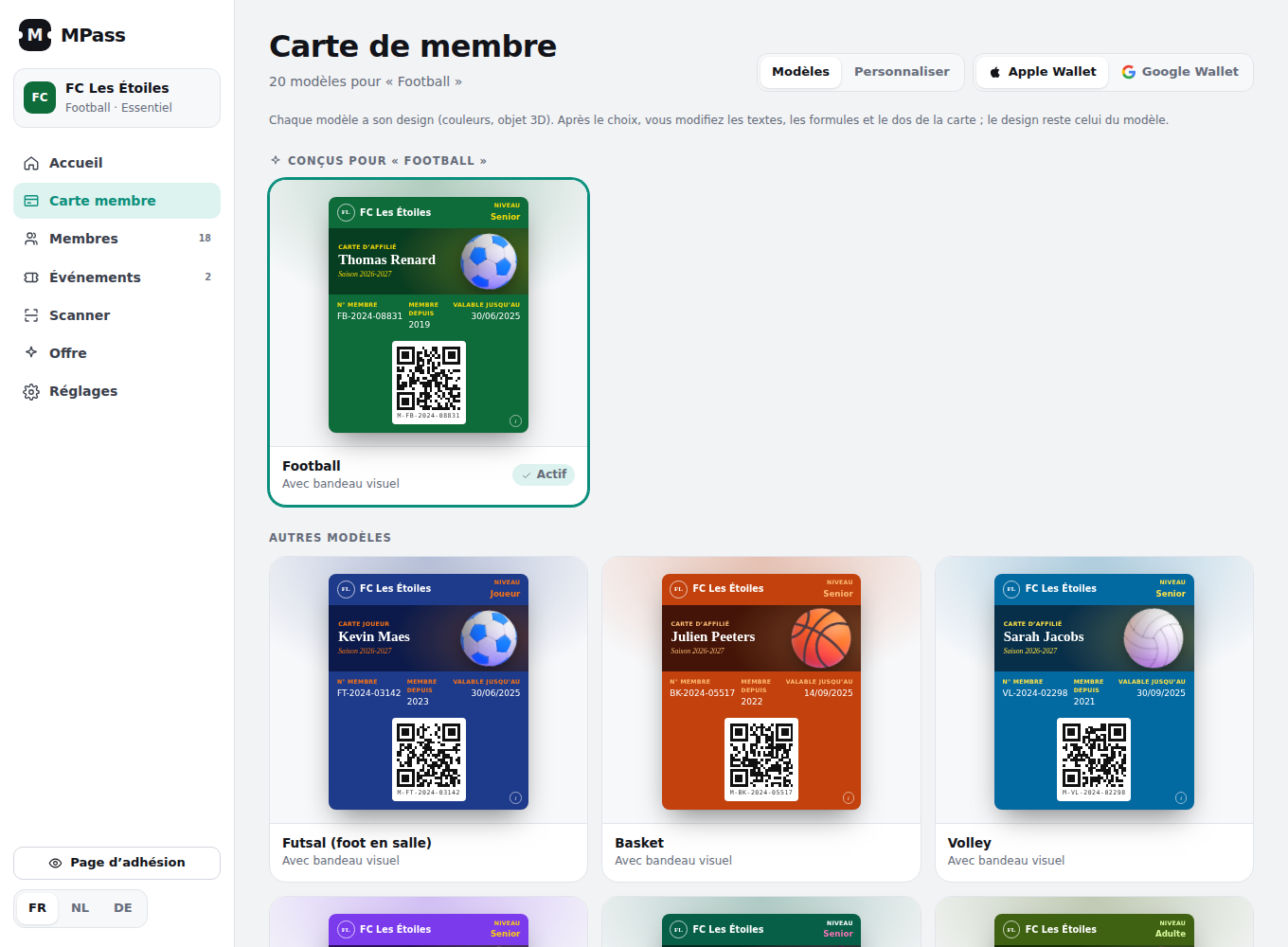
Simple pricing, no commission
Essential
- 300 membership cards
- 150 tickets per month
- Renewal reminders
- Self-service join link
- Email delivery of every card
Pro
- 1,000 membership cards
- 300 tickets per month
- Excel / CSV import: all cards at once
- Unlimited events
- No MPass branding
No contract, cancel anytime. 30-day money-back guarantee. MPass never touches your dues: members pay your club the way they already do.
Prices in US dollars. Any applicable sales tax is added at checkout by Paddle, our reseller (Merchant of Record). Terms · Refunds.
Frequently asked questions
Is the membership card template really free?
Yes. The Word template and the application form are free to download, edit and print, with no sign-up and no email address. You can use them for as many members and seasons as you like.
What paper should I print the template on?
Use US Letter card stock (65 to 110 lb) and cut along the dashed lines, or print on Avery 5371 or 8371 business card sheets, which are pre-cut to the same 3.5 × 2 in size. Print at actual size (100%), not “fit to page”.
Can I add our logo to the printed card?
Yes. Open the template in Word or Google Docs, click into the first card and insert your logo next to the club name, then copy it into the other nine cards.
What is the difference with a digital membership card?
A printed card is fixed once printed. A digital membership card lives in Apple Wallet or Google Wallet, updates itself when the member renews or changes tier, and is checked at the door by scanning its QR code. Nothing to print, cut or hand out again each season.
Can I use both the printed card and the digital card?
Yes. With MPass, each member gets a card on their phone, and for members without a smartphone you can print the QR code of their card. The scanner accepts both, so the whole club is checked the same way.