The stamp card, finally on your customers’ phones
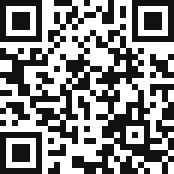
Customers scan a QR code at the counter and the card goes straight into Apple Wallet or Google Wallet. On every visit you scan their card with your phone and the stamp is added. No more forgotten or lost paper cards.
No sign-up: your test card on your phone in 1 minute · free up to 50 customers
 F-204817
How it works: 3 steps
1. Create your card
Pick your type of business, your colours, the number of stamps (4 to 20) and the reward. MPass suggests a ready-made design.
2. Put up the QR code
Print the A4 poster MPass generates and place it by the till. Customers scan, type their first name and add the card to their Wallet. A welcome stamp is already on it.
3. Scan on every visit
Open the MPass scanner on your phone and point it at the customer’s card: +1 stamp. When the card is full, you give the reward and it starts again.
Why a loyalty card in the Wallet
Always in their pocket
The card lives in Apple Wallet or Google Wallet, next to their bank cards. Customers stop leaving it at home.
Updated live
Every stamp shows up on the customer’s card right away, so they can see how many visits are left before the reward.
Sign-up in 20 seconds
A QR code at the counter is all it takes. First name required, email optional: you only collect what you need.
Your customer list
See your customers, their visits and rewards. You can add a customer yourself or resend their card.
No app
Not for you, not for your customers: you manage everything in the browser and the scanner uses your phone’s camera.
Simple double-stamp guard
A customer can’t get two stamps in a row by mistake, and you can undo a stamp in one tap.
A card ready for your business
Pick your business: MPass opens the right card straight away, with a number of stamps and a reward you can change.
Café, coffee shop
10 coffees, the 11th free
Bakery, patisserie
10 visits, 1 free pastry
Restaurant
8 meals, 1 free dessert
Takeaway, food truck
10 meals, 1 free meal
Hair salon, barber
8 cuts, 50% off the next
Beauty salon, nails
8 treatments, 1 free
Yoga studio, gym
10 classes, 1 free session
Shop, florist, deli
10 purchases, €10 off
The same simple pricing as for clubs
Free
€0up to 50 customers with a cardEssential
€19 excl. VAT / monthup to 450 customersPro
€49 excl. VAT / monthup to 1,300 customers, no MPass brandingNo commitment, 14-day free trial with no credit card. No commission: MPass never touches your sales. Full pricing
Frequently asked questions
Do my customers need to install an app?
No. The card goes into Apple Wallet (iPhone) or Google Wallet (Android), which are already on their phone. They scan the QR code, type their first name and tap “Add”.
How do I add a stamp?
Open MPass on your phone, tap “Scanner” and point it at the QR code on the customer’s card. The stamp is added automatically and their card updates. You can also type the card number.
What happens when the card is full?
The scanner tells you and shows a “Give the reward” button. The reward is recorded and the card starts again, still on the customer’s phone.
Can I change the number of stamps or the reward?
Yes, any time: 4 to 20 stamps and the reward of your choice (a coffee, a dessert, a discount). Cards already handed out update automatically.
What data do you collect about my customers?
Only a first name, plus email or phone if the customer wants the card sent to them. Data is hosted in Europe, and you can export or delete a customer in one click (GDPR).
I already use MPass for a club. Does it work together?
Yes. The loyalty card is an MPass module, like membership cards and ticketing. Turn it on in your account settings.
Create the card, print the poster and scan your first customer today.